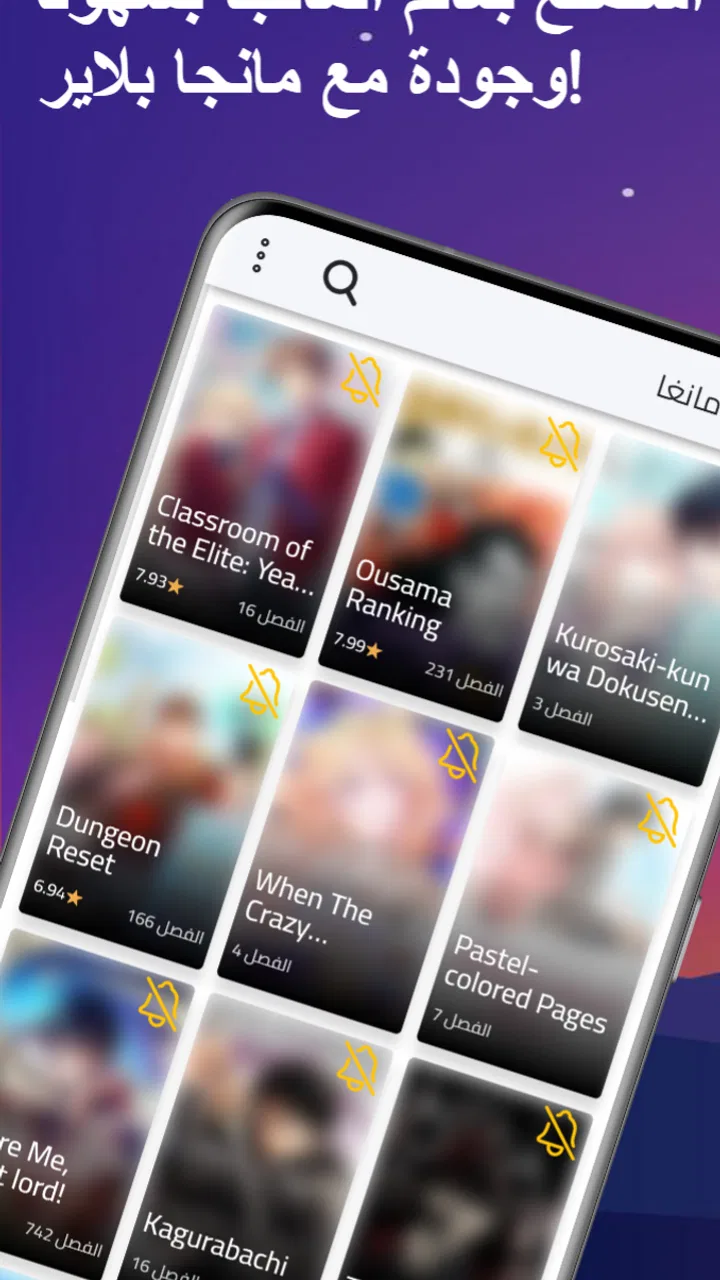
مانجا بلاير - Manga Player
- 4.3
- Rating
- 100.00K
- Installs
- Free
- Price

 Analysis by App-foxy
Reading manga in Arabic should feel simple: open an app, find something interesting, and start reading without fighting through a confusing interface. That is the promise behind مانجا بلاير - Manga Player, a free comics app from SOUSSI NIAIMI Badr-Eddine. I approached it as a first-time reader would, looking less at grand claims and more at whether it makes the basic reading journey comfortable.
My overall impression is that it is aimed at people who want a focused Arabic manga-reading experience rather than a broad entertainment platform. It is available for everyone, works on Android devices running version 7.0 or later, and its current version is 1.4.0. The app has reached more than one hundred thousand installs, with an average score of 4.4 from roughly eight hundred ratings. Those figures suggest that it has found a real audience, although they do not replace the more important question: does it fit the way you personally read?
What to expect when you open Manga Player
The first thing to understand is the app’s role. This is not a general comic marketplace, a social network for readers, or a tool for creating manga. It is an Arabic manga reader, and that narrow purpose is its main advantage. If you already know that you want to read manga in Arabic on your phone, the experience feels more direct than starting with a large international comics service designed around many languages and publishing models.
You May Also Like

 Blood Strike: 2.5 Anniversary
Blood Strike’s Loadouts Turn Every Drop Into a Tactical Gamble
A close look at Blood Strike’s custom loadouts: how fast access to signature weapons reshapes its battle royale rhythm, rewards preparation, and narrows the gap between fights.

 Pandora - Music & Podcasts
Pandora’s Music Is Easy to Start, but Harder to Recover
Pandora’s strength is its low-effort path from a seed to a station. Its weak spot is how much confidence it asks you to place in connection, setup, and quiet recovery.

 8 Ball Pool
 Is Built on Rivalries, Rematches, and Routine
A close look at the rivalries, rematches, shared routines, and unanswered safety questions that turn a quick pool match into a persistent mobile community.

 Samsung Music
’s Quiet Strength Is Playing What You Already Own
Its reach comes less from spectacle than from dependable access to a personal library. That simplicity is both the app’s strongest retention engine and its ceiling.

 AccuWeather: Weather Radar
AccuWeather Review: A Quick, Clear Forecast for Everyday Decisions
For everyday plans, the best forecast is the one you can understand quickly. AccuWeather makes rain timing, radar, and local conditions easy to act on, with a few trade-offs.

 Hill Climb Racing
Why Hill Climb Racing Still Turns Crashes Into One More Run
A tiny car, a bumpy hill and one more upgrade: Hill Climb Racing keeps resurfacing because its simple chaos makes every near-miss feel personal.
More From Our News Desk



I like that the concept is easy to understand. You do not need to learn a complicated system before reading. The useful mental model is simple: browse what is available, choose a title, open a chapter, and settle into the page. For a first-time user, that clarity matters more than a long list of decorative options.
At the same time, expectations should stay realistic. An app focused on Arabic manga is only as useful as the material you can actually find inside it. Readers who follow a very specific series, expect simultaneous access to every current chapter, or want a huge international catalog may prefer a larger established service. Manga Player makes more sense when language and ease of reading matter more than having every possible title in one place.
The free price is another important part of the experience. You can try it without making a purchase decision first, which lowers the barrier for casual readers and for someone who is not sure whether an Arabic manga app will suit them. I would still treat the app as a reading tool to explore rather than assuming it will replace every other source you use.
Who will get the most from it
I would recommend starting here if Arabic is your preferred reading language, you mainly read on an Android phone or tablet, and you want a straightforward way to spend a few minutes with a chapter. It can also suit someone introducing manga to a younger family member because the listed content rating is Everyone, though parents should still use their own judgment about the individual stories available in any comics catalog.
The app is less convincing for readers who depend on advanced library management, cross-device continuity, highly detailed reading statistics, or a large collection of official translated editions. Those needs are not the reason to choose this particular reader. In that situation, a more feature-heavy comics platform may be a better match, even if its interface feels busier.
Getting through the first setup without overthinking it
Installation should be uncomplicated for a compatible Android device. Since the minimum requirement is Android 7.0, the app remains accessible on many older phones rather than being limited to recent hardware. That is useful if you keep a spare device for reading or prefer not to use your newest phone for long sessions.
After opening it, I would resist the temptation to judge the entire app before finding a title. The first meaningful test is not whether every screen looks perfect; it is whether you can move from the opening view to a readable chapter with little hesitation. Look for the browsing area, scan the available manga, and choose a title based on its presentation rather than assuming the first item is automatically the best starting point.
A practical tip is to begin with a short reading session instead of trying to organize everything immediately. Open one chapter and check three things: whether the Arabic text is comfortable at your normal screen brightness, whether the page direction feels natural, and whether moving between pages is easy with one hand. These checks tell you more about compatibility than simply browsing thumbnails.
Another useful habit is to note where you stopped before closing the app, especially during your first few sessions. If you are reading several series at once, this prevents the common problem of reopening the app and forgetting which chapter or page you were following. It is a small personal workflow, but it makes a simple reader feel much more dependable.
Because the application comes from an individual developer, SOUSSI NIAIMI Badr-Eddine, I would approach updates with ordinary care. Keep the app current when an update is offered, but do not install it in the middle of an important reading session if you are relying on a particular screen or chapter position. A quick check after updating—opening a title and continuing a page or two—is a sensible way to make sure your routine still works.
Your first successful reading action
The moment that matters is not installation; it is completing a small reading loop. Choose a manga, open a chapter, read several pages, leave the reader, and return to the same title. If that sequence feels natural, you have learned the part of Manga Player that matters most in daily use.
For a realistic example, imagine having ten minutes during a commute or while waiting for an appointment. You open the app, browse instead of searching across multiple websites, select a familiar-looking title, and read a few pages in Arabic. The value is not dramatic. It is the reduction of friction: fewer steps between spare time and the story you wanted to read.
I suggest testing the reader in both portrait and landscape orientation if your device allows it. Portrait is usually convenient when holding a phone in one hand, while landscape may make page artwork feel less cramped. The better choice depends on the size of your display and the way the manga pages are presented. Do not assume that the mode that looks best in a preview will be the most comfortable for a full chapter.
Brightness also deserves attention. Manga pages can look fine in a bright room but become tiring in a dark one, especially when small Arabic text is involved. Adjust the phone’s brightness before deciding that the text or page layout is uncomfortable. This is an everyday reading detail that store descriptions rarely mention, but it can determine whether you continue using the app.
For a second test, read a chapter while connected to a stable network and then repeat the opening process later. This helps you understand your own routine: whether you prefer reading immediately when browsing, whether you need to wait for pages to appear, and whether the app fits short sessions or longer uninterrupted reading. I would not build a large reading plan until this basic loop feels reliable on your device.
Small habits that improve the experience
One of the most useful habits is keeping your library modest at first. Add or follow only the titles you genuinely intend to read, if the app’s available organization allows it, rather than collecting everything that catches your eye. A crowded personal list can make a lightweight reader feel harder to navigate, while a short list makes it easier to return to an active series.
I also recommend finishing your current page before switching away. Mobile readers are often interrupted by messages, calls, or a change of location. Stopping at a clear page boundary gives you a better chance of remembering the scene when you return, particularly if the app does not restore your exact position in the way you expect.
For younger readers, I would set up the device before handing it over. The Everyone rating describes the app’s general age classification, not the emotional tone of every manga story a reader might encounter. Checking the selected titles together is a more useful safeguard than assuming that the rating alone answers every content question.
Common confusion and the limits I noticed
The most likely confusion is expecting the app to behave like a full publishing ecosystem. A dedicated reader can make reading easier, but it does not automatically guarantee that every series, chapter, translation, or release schedule will match your preferences. If a particular title is missing or not updated when you expect it, that is a reason to use another legitimate source for that title rather than concluding that the reader itself is broken.
Another point is the difference between a clean experience and a powerful one. Manga Player’s focused purpose is appealing because it avoids the overload found in larger comic applications. The trade-off is that readers who enjoy deep filters, extensive recommendations, account synchronization, or sophisticated collection tools may find it too limited. I would choose simplicity here only if simplicity is genuinely what you want.
Arabic text introduces its own practical considerations. Reading comfort depends on font rendering, page quality, screen size, and the original translation layout. If a page feels crowded, try changing orientation or increasing the distance between your eyes and the screen before blaming the entire application. On a small phone, a tablet or larger display may be the better reading device even when the app itself is working correctly.
It is also easy to confuse browsing with progress. Finding many titles can feel productive, but the real test is whether you can return to one and continue reading. I would judge the app by the repeat session rather than by the first five minutes of exploration. A reader that helps you finish chapters is more valuable than one that merely presents an attractive catalog.
There is a further trade-off between convenience and dependence on one app. If Manga Player becomes your only place for every series, you may feel frustrated whenever a title is unavailable or your reading habits change. I prefer using it as a dependable Arabic reading option while keeping my expectations flexible. That approach preserves its strengths without asking it to solve every manga-related need.
Readers may also wonder whether it is suitable for older phones. The Android 7.0 minimum makes it a reasonable candidate for older compatible devices, but actual comfort still depends on the phone’s display, storage situation, and general condition. A device that struggles with other reading tasks may not feel pleasant here either. The best test is to install it on the device you actually plan to use and complete a full chapter-opening loop.
Privacy-conscious users often want to know what an app will demand from a device. I would make that decision from the permission details shown during installation and from the platform’s current app information, rather than guessing from the app’s category. The safe practical rule is to review requests before accepting them and avoid granting access that does not make sense for a manga reader.
When another option is better
I would skip Manga Player if your priority is a publisher-backed service with a clearly defined official catalog, extensive account features, or a reading history that follows you across several devices. A larger comics platform may justify its extra complexity if those functions are central to your routine.
I would also look elsewhere if you read mostly in Japanese or English and only occasionally need Arabic. In that case, an international reader with stronger support for your main language may be more convenient. Manga Player’s clearest reason to exist in my daily use is the Arabic-focused reading path, so that advantage matters less when Arabic is not your priority.
On the other hand, do not dismiss it simply because it is less ambitious than a major comics service. For a reader who wants a free, approachable starting point and does not need a large ecosystem, the smaller scope can be refreshing. The app has earned a 4.4 average and passed one hundred thousand installs, which gives it enough real-world presence to be worth testing rather than treating it as an unknown experiment.
My next-step recommendation for a new reader
Start with one title, one chapter, and one uninterrupted session. Check the page direction, text comfort, screen orientation, and how easily you can return after closing the app. Then decide whether the available Arabic selection matches what you actually want to read. This method gives you a meaningful answer quickly and avoids spending time building a library before knowing whether the reader suits you.
If the first session goes well, make a simple routine: keep a short list of active manga, finish chapters before switching apps, and adjust brightness or orientation for the room you are in. Those habits matter more than chasing every setting. They turn the application from something you installed out of curiosity into a practical way to use small pockets of free time.
My final view is favorable, with a clear qualification. Manga Player is best understood as a focused Arabic manga reader, not an all-purpose comics universe. Its free access, approachable purpose, compatibility with Android 7.0 and later, and Everyone age classification make it easy to try. The main question is whether its available reading material and level of simplicity match your expectations.
For me, that makes it a sensible recommendation to a friend who wants to read manga in Arabic without beginning with an overloaded platform. I would suggest trying it first on the device you use most, opening a real chapter rather than only browsing, and keeping a larger alternative in mind if you later need broader catalogs or advanced account features. If your goal is simply to get from spare time to Arabic manga with as little friction as possible, مانجا بلاير - Manga Player is a worthwhile place to begin.
FAQs for مانجا بلاير - Manga Player
01What features does مانجا بلاير - Manga Player offer?
مانجا بلاير - Manga Player provides a comprehensive library of manga titles in various genres, including action, romance, and fantasy. The app features a user-friendly interface, allowing for easy navigation and a seamless reading experience. It also supports offline reading, so users can download their favorite manga and enjoy them without an internet connection.
02Is مانجا بلاير - Manga Player free to use?
Yes, مانجا بلاير - Manga Player is free to download and use. However, it may contain in-app purchases or advertisements to support the developers. These purchases usually offer additional features or an ad-free experience, enhancing the overall user experience for those who opt for them.
03Can I customize my reading experience on مانجا بلاير - Manga Player?
Absolutely, مانجا بلاير - Manga Player allows users to customize their reading experience. You can adjust the brightness, change the reading direction, and select different viewing modes. These features ensure that you can read manga in the way that is most comfortable and enjoyable for you.
04How frequently is the content updated on مانجا بلاير - Manga Player?
The content on مانجا بلاير - Manga Player is updated regularly to include the latest manga releases and chapters. This ensures that users have access to the newest content as soon as it becomes available. Frequent updates also help in maintaining the app's performance and addressing any bugs or issues.
05Is مانجا بلاير - Manga Player available on both Android and iOS?
Yes, مانجا بلاير - Manga Player is available for download on both Android and iOS platforms. This makes it accessible to a wide range of users, ensuring that manga enthusiasts can enjoy their favorite titles regardless of their device. Be sure to check the app store for compatibility with your specific device version.
Pros
- User-friendly interface for easy navigation.
- Extensive manga library with diverse genres.
- Offline reading mode for convenience.
- High-quality images enhance reading experience.
- Regular updates with new manga releases.
Cons
- Contains in-app ads that may be intrusive.
- Language options are limited for non-Arabic users.
- Some titles may lack latest chapters.
- Requires internet for initial manga download.
- No option for custom reading settings.

مانجا بلاير - Manga Player
Gallery